Free Sales Tax Calculator
What Is a Sales Tax Calculator?
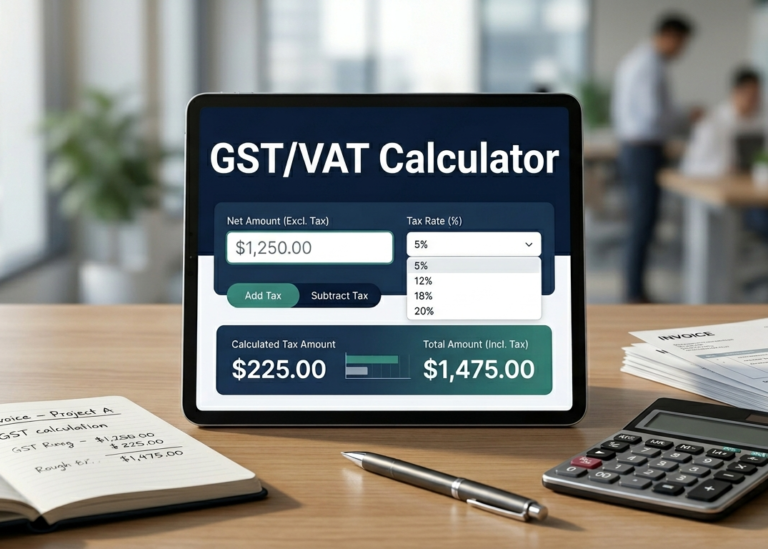
Our Sales Tax Calculator instantly computes the tax amount and total price for any purchase. Simply enter the subtotal and the applicable sales tax rate (percentage), and the tool will show you the tax due, the final total, and the effective rate. It's perfect for retail, e‑commerce, invoicing, and personal budgeting.
How to Use This Sales Tax Calculator
- Enter the subtotal – type the net amount before tax.
- Enter the tax rate – the sales tax percentage (e.g., 7.5).
- Click “Calculate Tax” – the results appear instantly.
- Use “Copy Result” to copy the breakdown to your clipboard.
- Press “Reset” to clear and start over.
How the Calculation Works
We use the standard formula:
Total = Subtotal + Tax Amount
Effective Rate = (Tax Amount / Subtotal) × 100
For example: if your subtotal is $100 and the tax rate is 7.5%, the tax is $7.50 and the total is $107.50. All calculations are rounded to two decimal places.
Frequently Asked Questions
What is the standard sales tax rate?
Sales tax rates vary by state, county, and city. In the US, rates range from 0% to over 10%. This calculator lets you enter any rate you need.
Can I use this for reverse sales tax calculation?
Yes! If you know the total and the tax rate, you can work backwards to find the subtotal. Enter the total as the subtotal and adjust the rate to see the tax portion.
Is this calculator accurate for business use?
Yes, it uses the exact formula and rounds to the nearest cent, making it suitable for invoices, receipts, and accounting.
What if I enter a negative number?
The calculator validates inputs and will show a friendly error if you enter a negative value or non‑numeric characters.
Does this include shipping or discounts?
This tool focuses on the base subtotal and tax rate. For shipping or discounts, simply adjust the subtotal to reflect the taxable amount.
Can I copy the results?
Absolutely! Click the “Copy Result” button to copy the subtotal, tax amount, and total to your clipboard.